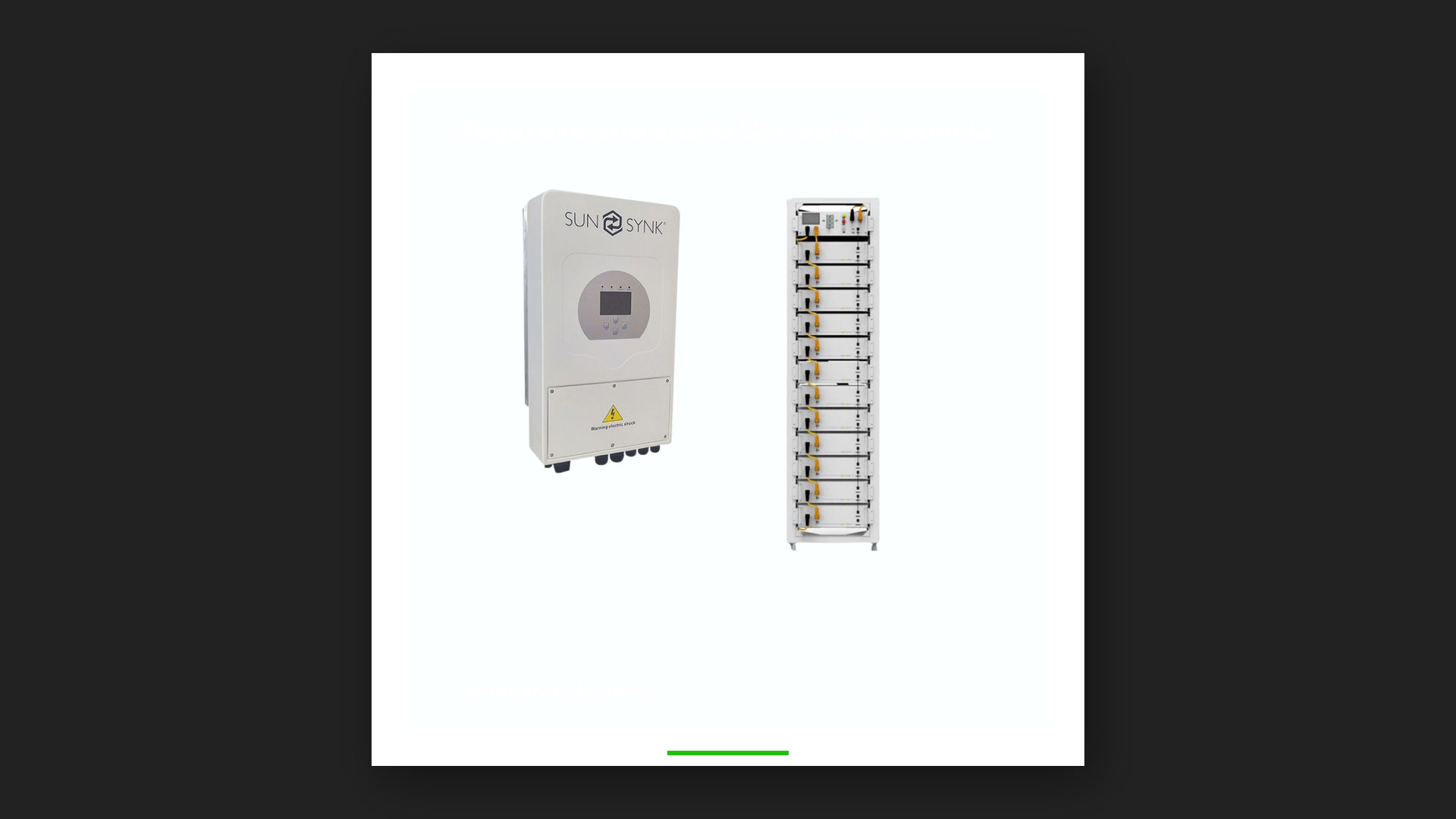
A Sunsynk hybrid inverter is a remarkably capable machine, but most of that capability lives in its settings. Two identical systems on the same street can deliver noticeably different savings purely because one was programmed thoughtfully and the other was left on defaults. This guide explains the settings that matter on a Sunsynk system, what they do in plain language, which ones you can sensibly review yourself, and — just as importantly — which ones belong to your installer. It also covers a sensible first-response routine for the most common behaviour issues owners notice.
Where ZenSolar fits: we install Fox ESS and Sigenergy systems, not Sunsynk, so this guide is offered as a straight service to Sunsynk owners. If your system is nearing end-of-life, the replacement option is covered near the end.
First, a word of caution
Hybrid inverters manage serious electrical energy, and several settings directly affect battery health, grid compliance and safety. Sunsynk systems keep the sensitive parameters behind installer-level access for good reason. The golden rules:
- Never change battery charge or discharge parameters yourself. These are set to match your specific battery’s requirements, and incorrect values can damage the battery or void its warranty.
- Never alter grid-related or export settings without your installer — these can have compliance implications with your municipality.
- Record the existing value before changing anything you are entitled to change, so you can always return to a known-good state.
- When in doubt, phone the people who installed the system — a competent installer will have these values recorded and can talk you through them or adjust them remotely.
The settings that shape your savings
Work mode: how the inverter prioritises energy
The heart of a hybrid inverter is its energy-priority logic — in what order it uses solar, battery and grid to run your home. The mode most owners want prioritises solar first, then battery, with the grid as the fallback rather than the default. If a system is drawing grid power at midday on a sunny day with a healthy battery, the work mode or its schedule is usually the first place to look.
Time-of-use programming: the highest-value setting on the machine
Sunsynk hybrids let you programme daily time windows that control when the battery charges and how deeply it discharges. Used well, this is where the money is: the battery fills from solar during the day and carries the household through the expensive evening hours, keeping grid purchases to the cheap, low-demand periods — if they happen at all. A thoughtful programme reflects your household’s actual rhythm: when people are home, when the heavy appliances run, and how much energy must remain in reserve by bedtime. This is the same daily arithmetic explained in our guide to calculating what a solar system saves against its monthly cost.
Battery reserve levels
Within each time window you can set how far the battery may discharge before the inverter stops drawing from it. Deeper discharge means more of your stored solar gets used; a healthier reserve means more margin. The right balance depends on your battery’s specification and your own priorities — and the floor values your installer configured to protect the battery should never be overridden.
Export control
Your inverter can be configured to keep all solar production on the property or to export surplus to the grid where the municipality permits it. This setting has a compliance dimension, so treat it as installer territory: whether export is allowed, and under what conditions, differs between supply authorities.
Monitoring: the setting most owners underuse
Every Sunsynk system can be connected to a monitoring platform through its data logger, giving you live and historical views of solar production, battery state of charge, household consumption and grid draw on your phone. If your system is not connected — or the app was set up on the installer’s account and you have never looked at it — fix that first. Monitoring is how you verify all the other settings are doing their job: it turns “the system seems fine” into numbers you can check from anywhere. Ten minutes with the daily chart will teach you more about your household’s energy pattern than any article can.
Troubleshooting: a sensible first-response routine
Most behaviour issues owners notice are configuration or communication matters rather than hardware failures. Before assuming the worst, work through this sequence:
- Read the display or app first. The inverter reports its status continuously. Note any alarm code exactly as shown — it tells your installer precisely where to look and can save a call-out.
- The battery is not charging as expected: check the time-of-use programme — the current time window may simply not permit charging. Then confirm the battery is communicating with the inverter (its state of charge should display and update). Communication faults between inverter and battery are among the most common issues on any hybrid system, and they are an installer fix, not a settings tweak.
- The battery seems flat by early evening: usually a sizing or discharge-depth conversation, not a fault. Check your evening consumption in the monitoring app — appliances like geysers and heaters can drain in an hour what the battery was meant to spread across a night. Our guide on how to size a solar system explains how consumption maps to capacity.
- Solar production looks low: compare today’s curve with a recent sunny day in the app before concluding anything — cloud, panel soiling and seasonal sun angles all move the number. A genuine step-change in production with no weather explanation warrants a call to your installer.
- The monitoring app stopped updating: nine times out of ten this is the data logger losing your home WiFi — after a router change, password change or load of new network hardware. Reconnecting the logger to the network usually restores it; the inverter itself keeps working regardless.
- Repeated alarms or shutdowns: stop experimenting and call your installer with the alarm codes and times. Persistent faults are diagnostic work, and poking at settings can mask the evidence.
When the problem is the design, not the settings
No settings work can rescue a system that was specified wrongly for the property. If your system was installed by others and has never behaved as promised — chronic early battery depletion, an inverter that limits solar harvest, essential circuits that were never wired as essential — the honest path is a design review rather than another round of tweaks. The failure patterns are depressingly consistent; we catalogue them in 7 costly solar mistakes to avoid at design stage. And if you are weighing whether to fix or extend an existing system, is a solar system worth it provides the decision framework.
A seasonal settings check is worth the effort
South African households do not consume energy the same way in July as in January, and the sun does not deliver the same way either. A brief review twice a year — do the time windows still match the household’s routine, is the reserve level still right for winter mornings, has anything new been added to the evening load — keeps the system tuned to the life it actually serves. Your installer can do this remotely in most cases via the monitoring platform.
When Chasing Settings Stops Being Worth It
Good settings can only do so much for a system that’s reaching the end of its useful life, or one that keeps throwing the same fault no matter how it’s configured. If that’s where you are, it’s worth knowing what a properly designed replacement looks like.
We fit Fox ESS and Sigenergy, always through manufacturer-approved installation — the thing that keeps a warranty enforceable rather than theoretical. Fox ESS is modular and stackable, built to be added to as demand grows instead of replaced outright. Sigenergy takes it further: one SigenStor unit handles inversion, storage, system control and DC EV charging together, so there’s a single manufacturer accountable for the whole system rather than several suppliers each blaming the others when something misbehaves.
Sigenergy publishes its warranty terms rather than leaving them to a sales conversation: 10 years on the Sigen Battery and Sigen Energy Controller, at least 60% usable capacity guaranteed at the 10-year mark (or a stated energy-throughput limit, whichever comes first), extendable to 15 years if you register within 12 months of commissioning.
If your current system is well installed and correctly configured, none of this is urgent — a properly set-up Sunsynk system has no reason to underperform. But if you’re past that point, this is the direction we’d take you.
Not sure which system is right for you?